
Category: Phones & VoIP

  • Buying work phones and tablets for a small team: what to think about

    Buying work phones and tablets for a small team: what to think about

    Buying work phones and tablets for a small team is easier if you start with how they will actually be used, not with a long list of model names. When a small team needs new work phones or tablets, it is easy to end up buying the same model everyone already has, or picking whatever is on offer that week. A little thought beforehand saves hassle later: the right storage, a consistent choice of system, and a plan for how the devices will be looked after once they arrive.

    iTechmonster now sells mobile phones and tablets through our online shop, with a dedicated Phones & Tablets department. This guide is about what to consider before you order, and how to get help from our local team if you would rather not decide alone. It is not a review of individual models, and it does not replace checking the current range and availability on the shop itself.

    A smartphone, tablet and laptop on a wooden desk — work phones and tablets

    Choosing work phones and tablets for a small team

    Start with how the devices will be used

    A phone that mostly takes calls and email has different needs from a tablet used on a building site, in a workshop or in a farm office. Useful questions include:

    • Will people mainly use them for calls, messages and email, or for photos, plans, stock systems or paperwork on the move?
    • Do they need a larger screen, or a device that is easy to use with gloves or in poor light?
    • Will the devices stay in the office, go out to customer sites, or both?
    • Do you already use iPhones, Android phones or a mix, and is there a reason to keep that the same?

    Sticking to one system, either iOS or Android, is often simpler for a small team. Staff can help each other, and it is easier to keep apps and settings consistent. A mixed team can still work well if there is a clear reason for it, such as some people already being set up on one system.

    Storage, and leaving a little headroom

    Storage is one of the details that is easy to under-buy. Photos, apps, email attachments and offline files add up, especially on a tablet used for plans or catalogues. It is usually better to choose a size with some room to spare than to pick the smallest option and need to upgrade sooner than you wanted.

    The right size depends on the work, so treat the product page as the source for what is available, rather than guessing from memory. If you are unsure, we would rather help you choose than have you order a device that fills up in a few months.

    A worker using a tablet in a workshop — work phones and tablets

    Think about how the devices join the rest of your IT

    A work phone or tablet is more useful, and easier to support, if it is set up as a business device from the start. That can include:

    • Signing in with a business email account rather than a personal one.
    • Using a screen lock and, where you can, multi-factor authentication on the accounts that matter.
    • Knowing who the device belongs to, and what happens when a member of staff leaves.
    • Keeping the software up to date, in the same way you would for a work laptop.

    If we already look after your computers under managed IT services, we can help you add new phones and tablets into that setup so they are not left as an afterthought.

    Desk phones still have a place

    Mobiles are not the only way to take a business call. If you want a number that stays with the company, voicemail that is shared properly, or a mix of desk handsets and a mobile app, a business VoIP phone system may be the better foundation. Those systems start from £10 per user per month, on a 12-month minimum contract, with unlimited UK calls included on each line. You can then add work mobiles for staff who are often out of the office.
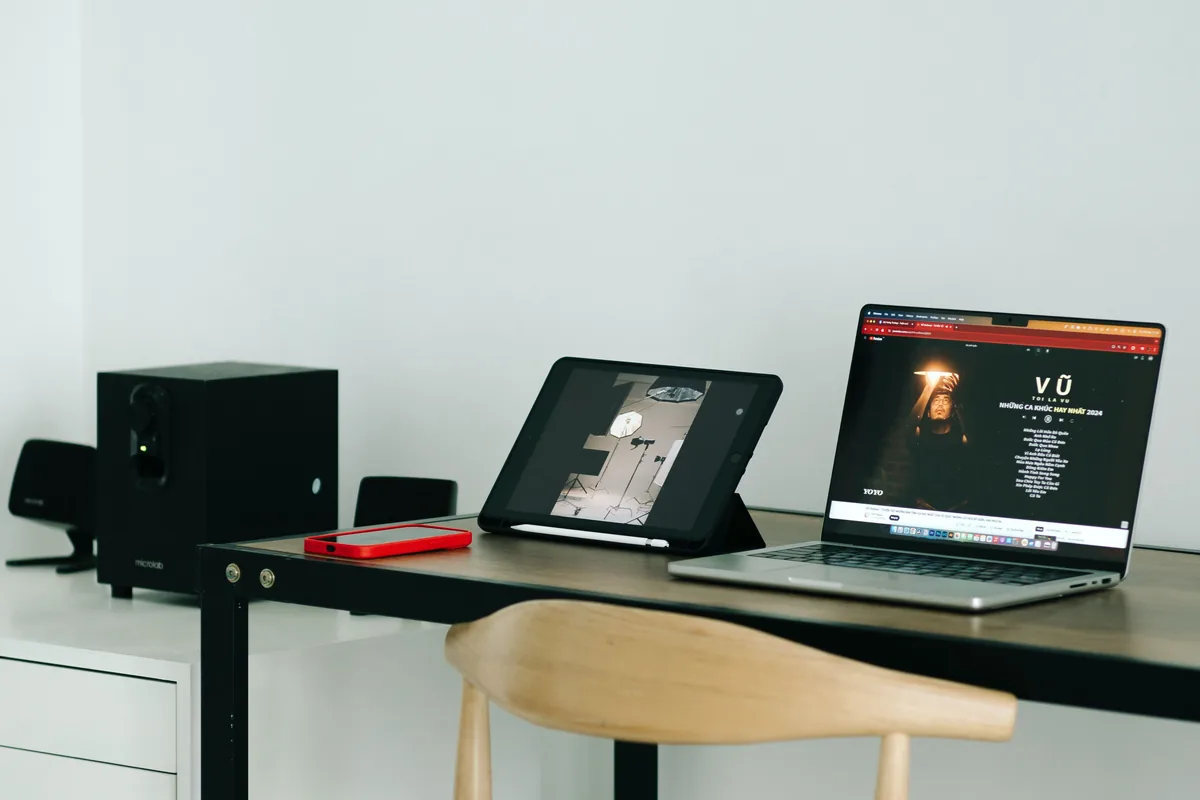
    An office desk with a laptop and tablet set up for work — work phones and tablets

    Ordering, delivery and returns

    You can browse the current range in our shop and in the Phones & Tablets department. Availability and specifications are shown on each product page, and they can change, so please check the listing before you buy.

    Delivery is free on online orders. Orders usually arrive within 1 to 5 working days after we dispatch them, Monday to Friday, excluding UK bank holidays. You can read the full details on our delivery information page.

    If a device is not right, you have 14 days from the day you receive the order to tell us you want to return it, in line with our refund and returns policy.

    A short buying checklist for work phones and tablets

    Write down who needs a handset or a tablet, whether they work mainly on site, on the road or in a workshop, and which apps they must run (email, a job-management app, payments, or just calls). That list will tell you more than a specification sheet. Leave a little storage headroom, and decide whether the business or the staff member will own the device and the contract.

    Think early about how the devices will be managed: a shared Apple or Google account is usually a poor fit, and you will want a way to lock or wipe a handset if it is lost. The NCSC device security guidance is a solid official reference for that part of the decision.

    If you also need desk handsets, we supply and support business VoIP phone systems. You can browse current phones and tablets in the shop, or call us and we will help you choose. Delivery on shop orders is free across the UK, as set out on our delivery information page.

    Need help choosing? Call our local team

    If you would rather talk it through than click through a long list of models, we are happy to help. iTechmonster is based in Okehampton and supports businesses across Devon and Cornwall, with the shop delivering free of charge across the UK.

    Call 01837 357034 or contact us and we will help you choose devices that fit the way your team actually works.
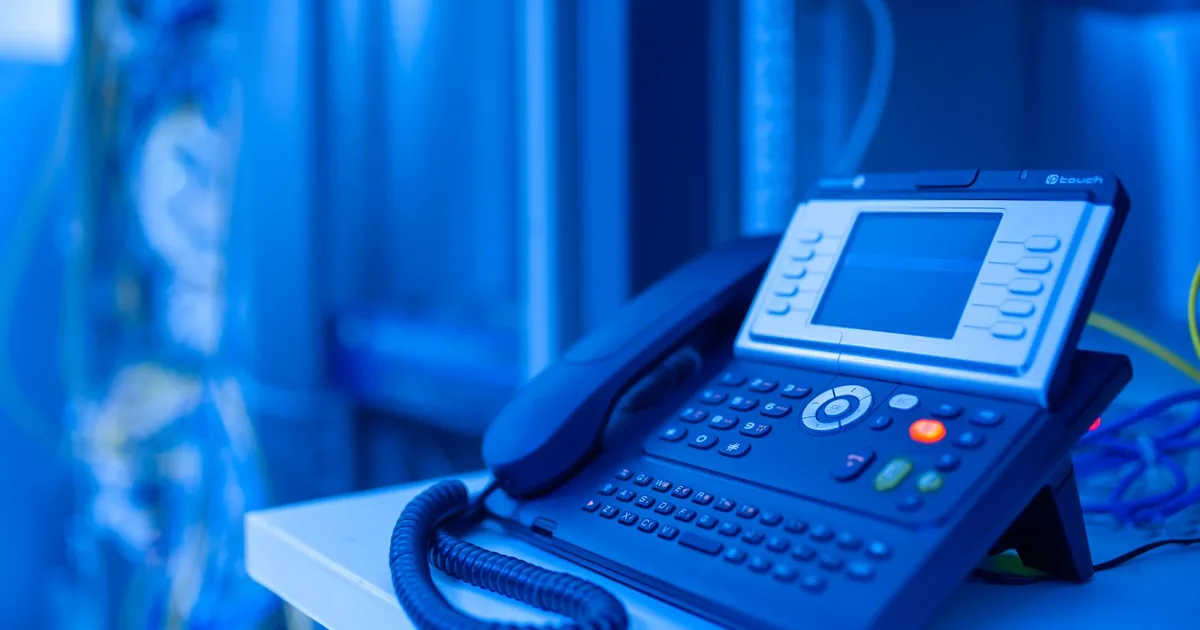
  • VoIP Phone System for Small Business: A Guide for Devon and Cornwall

    VoIP Phone System for Small Business: A Guide for Devon and Cornwall

    If you run a small business in Devon or Cornwall, your phone line is still one of the main ways customers reach you. That makes the UK landline switch-off hard to ignore. Traditional phone lines are due to go digital on 31 January 2027, as set out in Ofcom's guidance on the landline switch-off, when the old copper telephone network is retired.

    For most firms, the practical replacement is a VoIP phone system for small business: calls that run over your internet connection, with a proper business number, voicemail and call routing. This guide explains what that involves, what to check before you switch, and how a local team can help you get it right.

    A small business owner answering calls on a VoIP phone system for small business

    What is a VoIP phone system for small business?

    VoIP stands for Voice over Internet Protocol. In plain English, your calls travel over a broadband connection instead of a traditional analogue phone line. You can still use a desk phone that looks and feels familiar. The difference is that the phone talks to the internet, usually through your router, rather than to the old telephone exchange over copper.

    Most small businesses now use a hosted, or cloud, phone system. There is no phone system box in a cupboard to buy or replace when it fails. Your team can take calls on a desk phone, a mobile app or a laptop, and in most cases you can keep the number customers already know by moving (or “porting”) it to the new system.

    Why the landline switch-off makes this urgent

    Openreach and BT have been clear: the Public Switched Telephone Network (PSTN), and the related ISDN lines many offices still use, are being withdrawn. The deadline is 31 January 2027, and you should not assume it will be pushed back again. If you still rely on a traditional landline, you need a digital alternative before that date.

    Leave it too late and you risk disruption. You may be moved onto a temporary emergency voice-only service that keeps basic calls going for a limited time, but it may not support the features you use today. For a business the change is rarely a simple case of plugging a phone into the router. You may have several lines, a phone system on the wall, staff who take calls on the move, and other equipment that uses a phone line in the background.

    A business broadband router ready to carry a VoIP phone system for small business

    The switch-off is a good moment to choose a phone setup that suits the way you work, rather than accepting a last-minute like-for-like swap. We have already set out a practical checklist in The UK landline switch-off: what Devon businesses need to check now. This article focuses on the phone system itself, and on getting VoIP working reliably.

    What a modern business phone system can do

    Keep your number and answer calls anywhere

    Your business number does not have to be tied to one desk in Okehampton, Exeter, Truro or anywhere else. Staff can answer on a desk phone in the office, on a mobile while they are on a customer site, or on a laptop if they are working from home. That matters when your work takes you around Devon and Cornwall, or when only one or two people are there to pick up.

    Route calls so fewer of them ring out

    Call routing, voicemail and an auto-attendant (the short greeting that sends callers to the right person) help a small team look organised. When nobody is free, calls can go to voicemail, to another colleague, or to a mobile, instead of ringing until the customer hangs up.

    Grow or shrink with your team

    Because the system is hosted, you add or remove users as people join or leave, and you can mix desk phones with apps on a computer or mobile if some staff are mostly out of the office.

    A card payment terminal to check when moving to a VoIP phone system for small business

    What you need for VoIP to work well

    Call quality depends on the connection and the network in your building. That is worth taking seriously in rural Devon and Cornwall, where broadband and mobile signal can vary from one premises to the next.

    A stable internet connection

    VoIP needs a reliable connection with enough capacity, including upload speed, for the number of people who may be on calls at the same time. A line that is “fine for email” can still struggle if several calls, cloud apps and a card machine are sharing it. iTechmonster provides business broadband and can look at the phones and the internet together, rather than leaving them as two separate problems.

    A plan for when the line drops

    Once your phone system runs over the internet, a broadband fault can take the phones with it unless you have a backup. That might be call forwarding to mobiles, a second connection, or 4G or 5G backup broadband that switches over automatically if the main line fails.

    Power, Wi-Fi and the office network

    A basic analogue phone often kept working during a mains power cut because the line was powered from the exchange. A digital or VoIP service usually needs power for the router, and for the handset if it is not using a mobile app. If that matters to you, plan for battery backup on key equipment and a way to take calls on mobiles. Wi-Fi quality matters too: a weak signal in the stock room, the yard or a back office will show up as broken or crackly calls.

    What else still uses a phone line?

    The switch-off is not only about the handset on the reception desk. Walk around and list anything plugged into a phone socket, or that “dials out”. Common examples include older office phone systems, intruder and fire alarms, card payment terminals, lift emergency phones, door entry systems, fax or franking machines, and telecare devices if you support vulnerable people.

    For each item, ask the supplier whether it will work on a digital line. Some equipment needs a different connection, such as broadband or mobile data. Our landline switch-off guide has a simple checklist you can work through so nothing important is missed.

    How to choose a VoIP phone system

    A short plan will save you from a rushed switch in January 2027:

    • Check your broadband and office network first, including a backup if calls are critical.
    • Confirm that your existing number can be ported, and that the details on your current account match the porting request.
    • Decide how people will take calls: desk phones, mobile or laptop apps, or a mix.
    • Agree how calls should be answered when the office is busy, closed or short-staffed.
    • List any alarms, payment terminals and other line-based equipment and check each one with its supplier.
    • Pick a switch-over date that suits the business, then test inbound and outbound calls, voicemail and routing on the day.

    It also helps to choose a provider that can look at the phones, the internet connection and the IT around them together. When something sounds wrong, you do not want the phone company blaming the broadband, and the broadband company blaming the handset.

    How iTechmonster can help

    iTechmonster LTD is based in Okehampton, Devon, and supports small businesses across Devon and Cornwall, as well as further afield. We provide business VoIP phone systems, alongside business broadband, 4G and 5G backup, managed IT and Microsoft 365. That means one local team can help you plan the move, check the connection, set up the phones and support you afterwards.

    If you are not sure what a VoIP phone system for small business would look like for your team, we would rather talk it through than sell you something you do not need.

    Frequently asked questions

    Can I keep my existing phone number?

    In most cases, yes. Your existing business number can usually be ported to a VoIP system, so customers keep calling the number they already know. It is worth checking the account details before you switch, because a mismatch can delay the move. We can check this for you as part of the planning.

    Will VoIP work in rural Devon or Cornwall?

    Yes, if the internet connection is stable enough for voice calls. We check what is available at your premises first, and can help improve the connection or add backup where it is needed. We will not recommend VoIP as your only inbound number if the line will not support it reliably.

    What happens if I do not switch before 31 January 2027?

    Traditional phone lines are due to go digital by that date. If you have not moved, your service may be limited, or you may be placed on a temporary emergency voice-only service that is only meant as a short-term safeguard. It is safer to plan the move now, while you can still choose the timing and the system.

    Do I need new handsets?

    Often yes, if your current phones are built for an analogue or ISDN line. Some businesses use new desk phones, some use a mobile or computer app, and many use a mix.

    Can the phones be looked after with the rest of our IT?

    Yes. VoIP can be set up on its own, or as part of looking after your computers, broadband and Microsoft 365, so there is one team to call if a phone, a laptop or the internet misbehaves.

    Talk to us about your phone system

    If you would like a straightforward view of what a VoIP phone system for small business would involve for your premises, get in touch. Call iTechmonster on 01837 357034 or contact us via the website. We will check what you have today and suggest a sensible next step, with no obligation.

  • The UK landline switch-off: what Devon businesses need to check now

    The UK landline switch-off: what Devon businesses need to check now

    The UK landline switch-off is the move from traditional copper phone lines to digital calls over a broadband connection. For decades, most business phone lines in the UK have run over the old copper telephone network. That network is being switched off. Phone and broadband providers are moving everyone onto digital lines that carry calls over an internet connection, and the old network is due to close on 31 January 2027. If your business in Okehampton, Exeter or anywhere else in Devon still relies on a traditional landline, now is the time to check what will be affected and plan the move.

    Ofcom's guidance on the landline switch-off explains the change in plain language, including why some alarms, payment terminals and older phone systems need a plan before the old network is retired. BT has said it intends to retire its traditional telephone network by 31 January 2027; other networks may follow a different timetable, so check with your current provider.

    This guide covers what the switch-off means in plain English, the equipment people often forget about, and how to move to a business VoIP phone system without losing the number your customers already know.

    What the UK landline switch-off means for your business

    What is the landline switch-off?

    The old analogue phone network (often called PSTN) and the related ISDN lines many offices use are being retired. Calls will instead run over a broadband connection using Voice over Internet Protocol, or VoIP. For many people the change happens quietly: their provider moves them onto a digital line and they plug the phone into the router instead of the wall socket.

    For businesses it’s rarely that simple. Offices often have several lines, a phone system on the wall, and other equipment that quietly uses a phone line in the background. If that equipment hasn’t been checked, it can stop working without warning when the line is moved over.

    What equipment could be affected?

    Walk around your premises and make a list of anything plugged into a phone socket or that “dials out”. Common examples include:

    • Phone systems and handsets. Older office phone systems that connect to analogue or ISDN lines may need replacing or reconfiguring.
    • Intruder and fire alarms. Many alarm panels use a phone line to call a monitoring centre. Ask your alarm company whether yours is compatible with digital lines.
    • Card payment terminals. Older terminals that dial out over a phone line may need switching to broadband or mobile data.
    • Lift emergency phones and door entry systems. These are easy to forget and important to get right.
    • Fax machines and franking machines. Some still rely on an analogue line.
    • Telecare devices. If your business looks after vulnerable people, check any pendant alarms or care alerts with the supplier.

    For each item, note who supplies it and contact them to ask whether it will keep working on a digital line. Most suppliers have a standard answer by now.

    Card payment terminal to check before the landline switch-off — UK landline switch-off

    Why moving to VoIP makes sense for most small businesses

    You could simply let your provider swap your line for a digital one and carry on. But the switch-off is also a good moment to ask whether your phones are really working for you. A hosted VoIP system (sometimes called a cloud phone system) runs online, so there is no phone system box in the office to buy or maintain.

    Answer calls anywhere

    With VoIP your business number isn’t tied to a desk. Staff can answer calls on a desk phone, a mobile app or a laptop, which is ideal if you work between the office, home and customer sites across Devon.

    Small business owner answering calls on a VoIP phone system — UK landline switch-off

    Simple, predictable pricing

    Our business VoIP phone systems start from £10 per user per month, priced per member of staff, with unlimited UK calls included on each line. As your team grows or shrinks, you add or remove users rather than paying for capacity you don’t need.

    Useful features as standard

    Voicemail and call routing mean calls reach the right person, or go to voicemail when nobody is free, instead of ringing out. That matters when you’re a small team and every missed call could be a missed customer.

    Can I keep my existing phone number?

    In most cases, yes. Your existing business number can usually be moved (or “ported”) to your new VoIP system, so customers keep calling the number they already know. It’s worth checking your number before you switch, because the details on your current account need to match the porting request. We can check this for you as part of planning the move.

    Don’t forget your internet connection

    Business broadband router ready to carry VoIP calls — UK landline switch-off

    Once your calls run over the internet, your broadband connection and office network matter more than ever. A slow or unreliable connection, or Wi-Fi that drops out in parts of the building, will show up as poor call quality. Before switching, it’s sensible to check:

    • That your broadband is reliable and has enough upload speed for the number of people on calls at once.
    • That your router and network equipment are up to date.
    • Whether you need a backup plan if the connection goes down, such as forwarding calls to mobiles.

    Because we also provide business broadband, we can look at the whole picture and fix connection problems before they affect your calls.

    A simple plan for the switch-off

    • List everything that uses a phone line, including alarms, card machines and lift phones.
    • Contact each supplier to confirm compatibility with digital lines.
    • Check your broadband and office network can handle voice calls.
    • Choose your phone setup: desk phones, mobile apps or a mix.
    • Check your number can be ported and agree a switch-over date that suits your business.
    • Test everything on the day, including calls in and out, voicemail and any alarms.

    Leaving it until the last minute risks being moved onto a digital line before you’re ready. Planning now means you choose the timing and the system, rather than having it chosen for you.

    A short checklist for the UK landline switch-off

    Walk around the premises and list everything that still uses a phone socket: the main reception phone, card machines, a franking machine, a lift line, a fire or security alarm, or a payment-plus-phone broadband bundle. If you are not sure about a device, photograph the socket and the model number and ask the supplier whether it needs a digital line or a different connection.

    Most small firms in Devon will move to a VoIP phone system for small business, keep their existing number, and make sure the broadband can carry the calls. A 4G or 5G backup is worth planning at the same time, because digital calls need a working internet connection, including during a power cut or a line fault.

    Talk to a local team about your phones

    iTechmonster is an Okehampton-based IT company that has been supporting businesses across Devon since 2017. We set up and support VoIP phone systems as part of looking after your wider managed IT services, so you deal with one local team for your phones, broadband and computers.

    If you’re not sure what the switch-off means for your business, get in touch or call us on 01837 357034. We’ll check what you have and recommend a sensible next step, with no obligation.

Send us a message on WhatsApp ->